The operating layer for serious casework

OVRSYT brings cases, documents, schedules, reports, court resources, client access, and live collaboration into one controlled workspace. It is not another tool beside the work. It is where the work happens.

Platform Brief

Built for work that cannot scatter.

Sensitive operations lose control when case facts, messages, files, deadlines, reports, and client communication live across disconnected systems. OVRSYT keeps the record, the work, and the live operating context inside one secure environment.

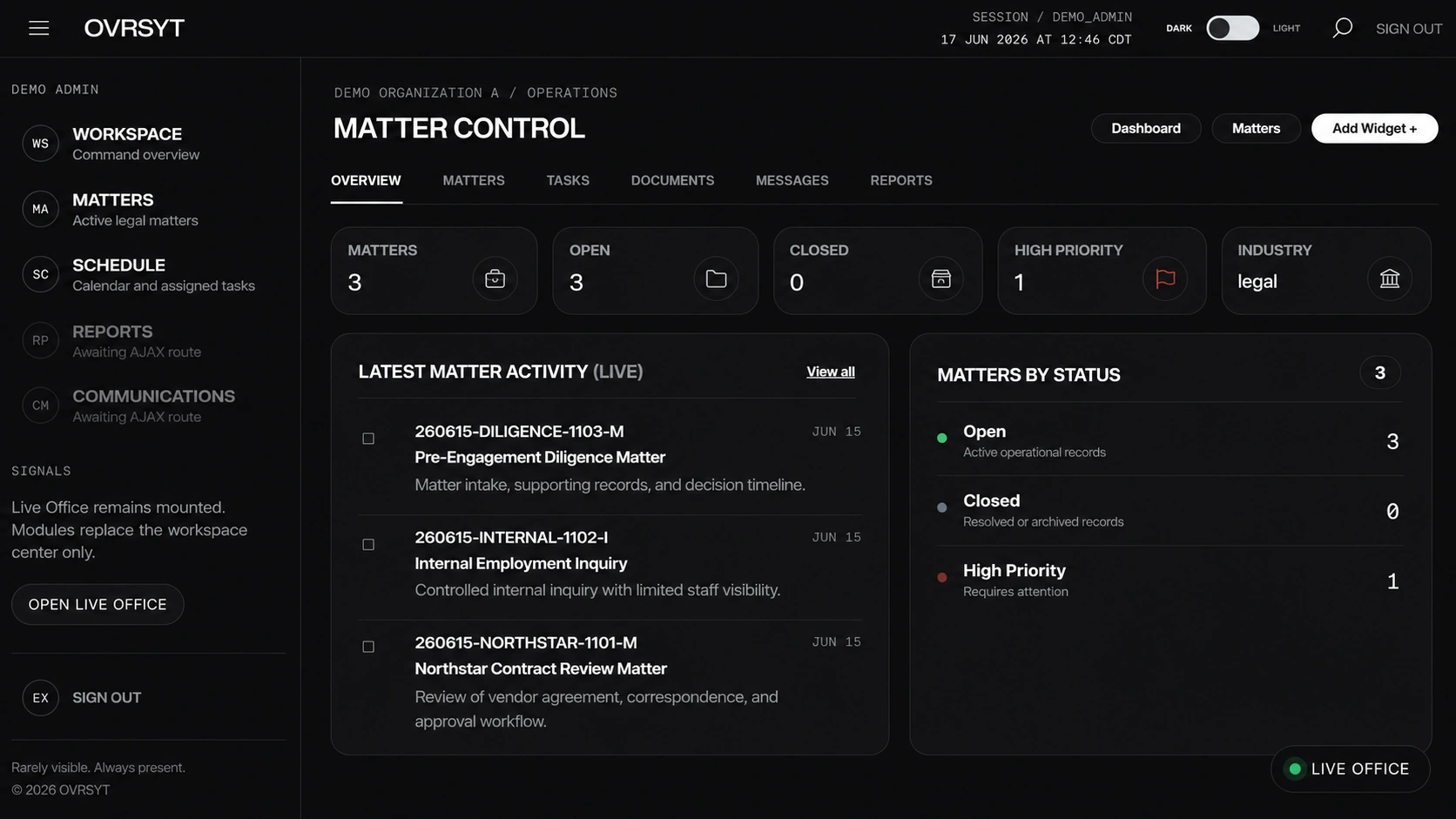
Knox Operations Desk dashboard
01 / Operations Desk

Command begins at the workspace.

The Operations Desk gives users an immediate read on active matters, priority work, recent messages, new documents, open tasks, and live presence. It is built to reduce drift before it starts.

  • Role-aware dashboard visibility
  • Recent matter activity and priority queues
  • Live Office access from the working surface
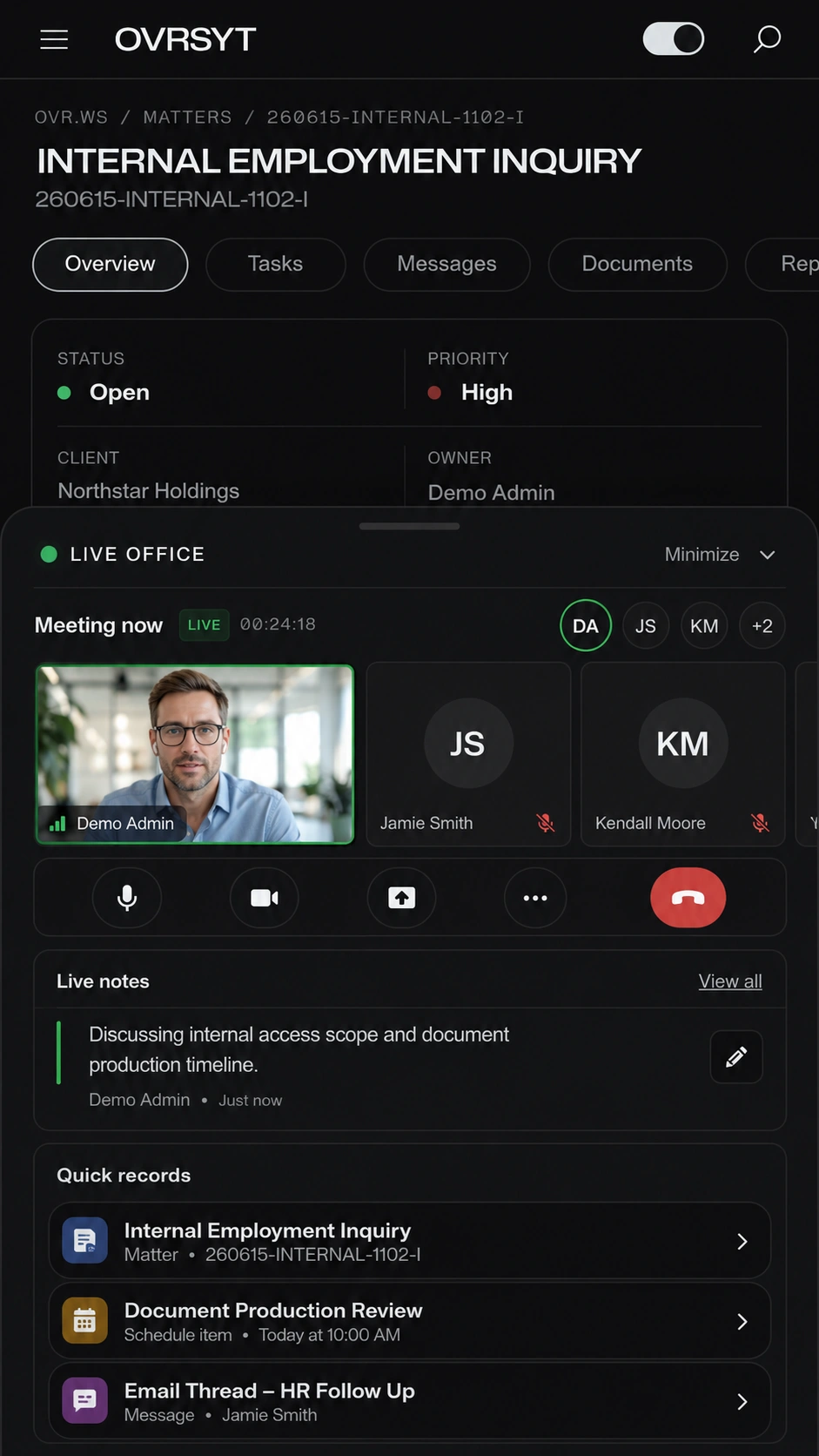
Knox case workspace with Live Office active
02 / Case Workspace

The case stays intact.

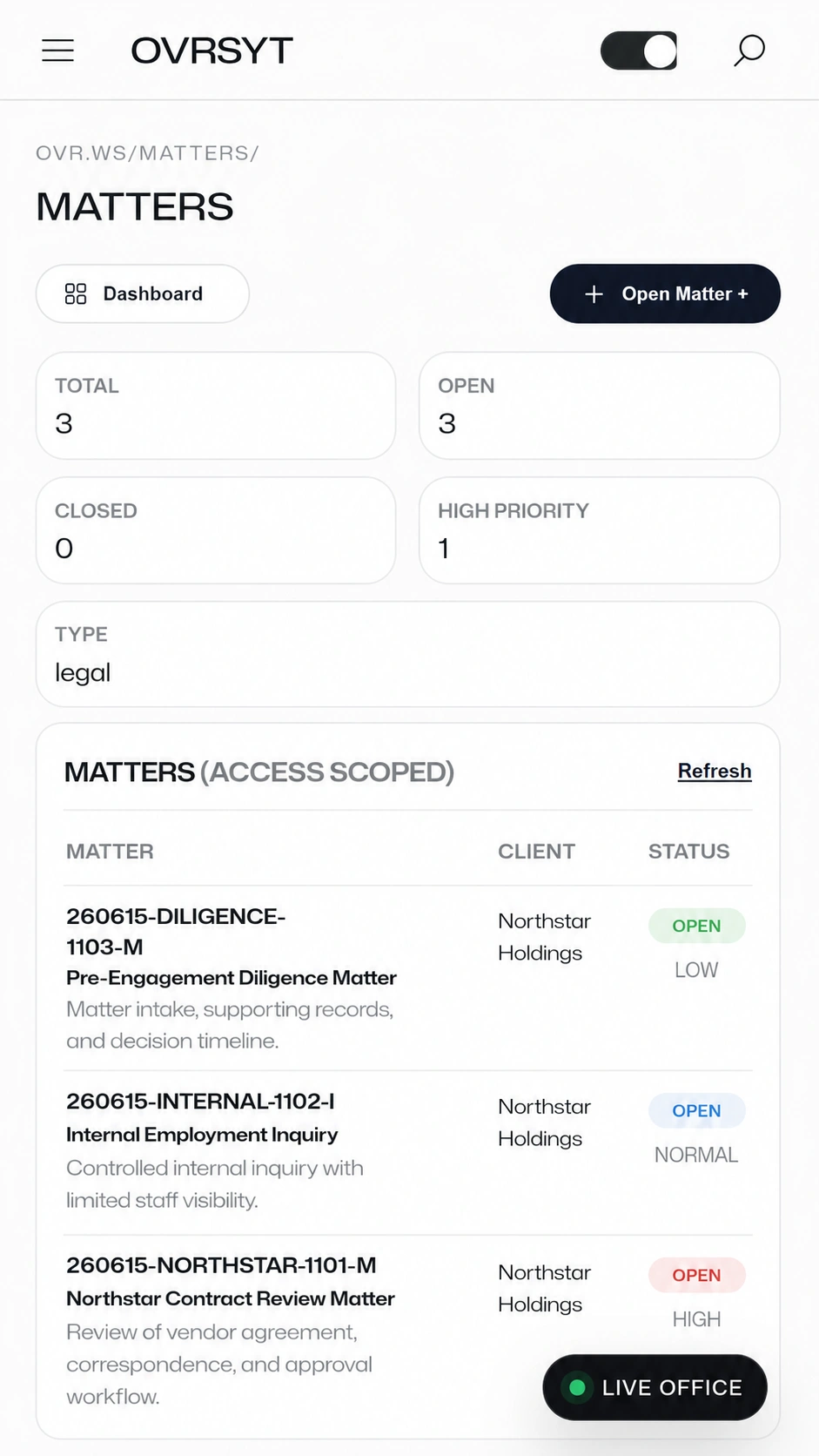
Each matter carries its own facts, subjects, documents, messages, tasks, reports, schedule items, and activity record. Users work from the case instead of reconstructing context from separate tools.

  • Case overview, timeline, tasks, files, and reporting
  • Permission-aware access by role and assignment
  • Operational record connected to the matter
Knox document handling interface
03 / Document Control

Files remain part of the record.

OVRSYT keeps document handling inside the operational environment: uploads, review status, metadata, tags, notes, previews, OCR status, and matter grouping remain connected to the case they support.

  • Document library by matter and category
  • Review state, notes, tags, and file metadata
  • Reduced reliance on scattered file-sharing systems
Knox court resources page
04 / Court Resources

Common legal destinations stay close.

Court links, jurisdictional resources, filing destinations, saved references, and frequently used legal tools can live inside OVRSYT, reducing the time users spend leaving the workspace to find support resources.

  • Court links and saved legal resources
  • Federal, state, and jurisdictional destinations
  • Useful for legal, investigative, and compliance teams
Knox case timeline
05 / Timeline

The movement is visible.

OVRSYT captures operational movement as it happens: document uploads, messages, task completion, legal events, case notes, scheduling actions, and other matter-level updates.

  • Case activity presented as an operational timeline
  • Document, message, task, and event visibility
  • Better reconstruction of what happened and when
Knox scheduling interface with Live Office active
06 / Scheduling

Deadlines and meetings remain operational.

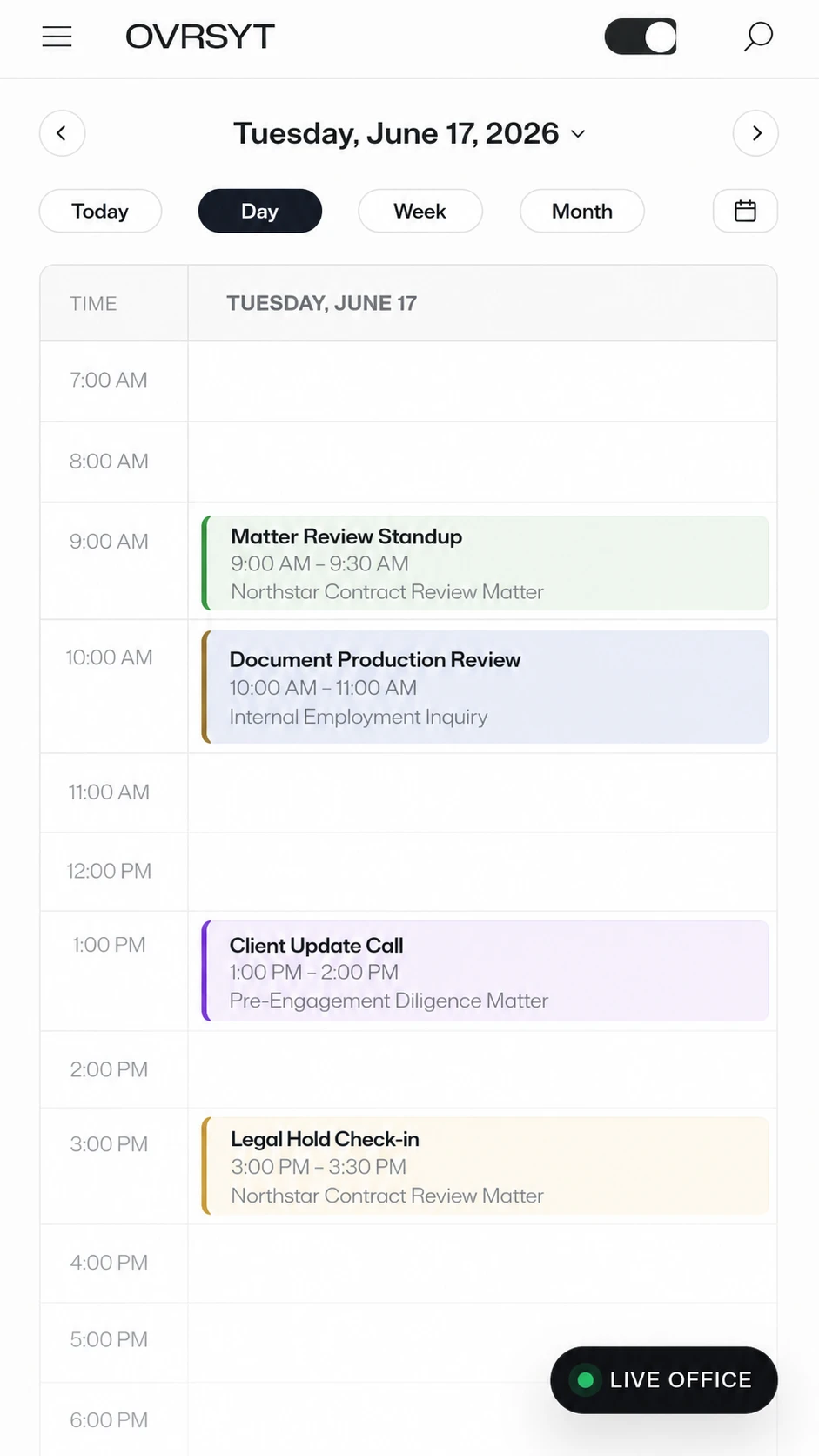
Scheduling belongs inside the same environment as the case. OVRSYT can keep calendar events, meetings, reminders, invites, and matter-linked deadlines close to the work they affect.

  • Case-linked calendar activity
  • Meetings and events connected to matter context
  • Live Office continuity while users schedule work
Live Office

Live work stays inside the work.

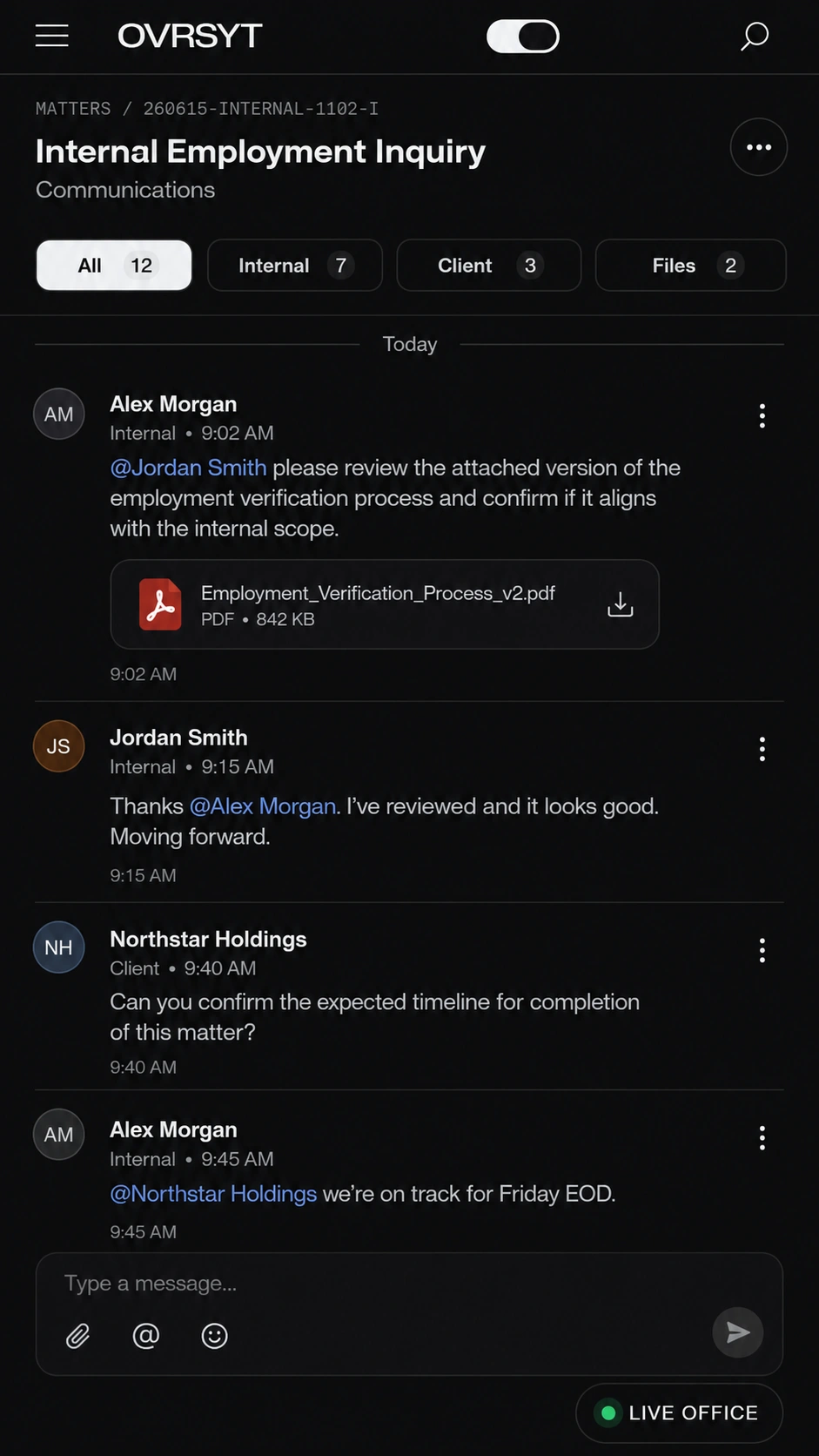
Live Office is not a meeting tool bolted onto OVRSYT. It is a workspace state. Users can remain in a live session while each person moves through their own assigned matters, documents, calendars, and case views.

01
Persistent session The live panel remains active while users move through the platform. The meeting does not force the workspace to reset.
02
Independent context Participants can remain together while viewing different matters, based on their own permissions and assignments.
03
Operational continuity Documents, tasks, messages, schedule actions, and case updates stay connected to the work instead of drifting into a separate call.
Engage

Put the case, the record, and the office in one controlled environment.

OVRSYT gives operational teams a secure platform for casework, documents, schedules, reports, client access, court resources, and live collaboration.

Contact Aerellus